
What Is a Product Bundle?
A product bundle is a combination of:
-
Parts (oil filters, batteries, generators)
-
Services (install, maintenance, troubleshooting)
…all packaged together into a single item.
You can:
-
Sell it as one line item
-
Or show a full breakdown of everything included
Why Use Bundles?
Bundles help you:
-
Standardize your install and service workflows
-
Speed up quoting and job creation
-
Ensure nothing gets missed in the field
-
Keep pricing consistent across your team
💡 Example:
Instead of manually adding 10 line items for a maintenance visit, you can create one “Annual Maintenance Bundle” and apply it instantly.
Before You Start
Make sure:
-
Your Parts & Services module is set up
-
You’ve already created your common parts and services
-
Your pricing strategy is defined (fixed vs itemized)
How to Create a Product Bundle
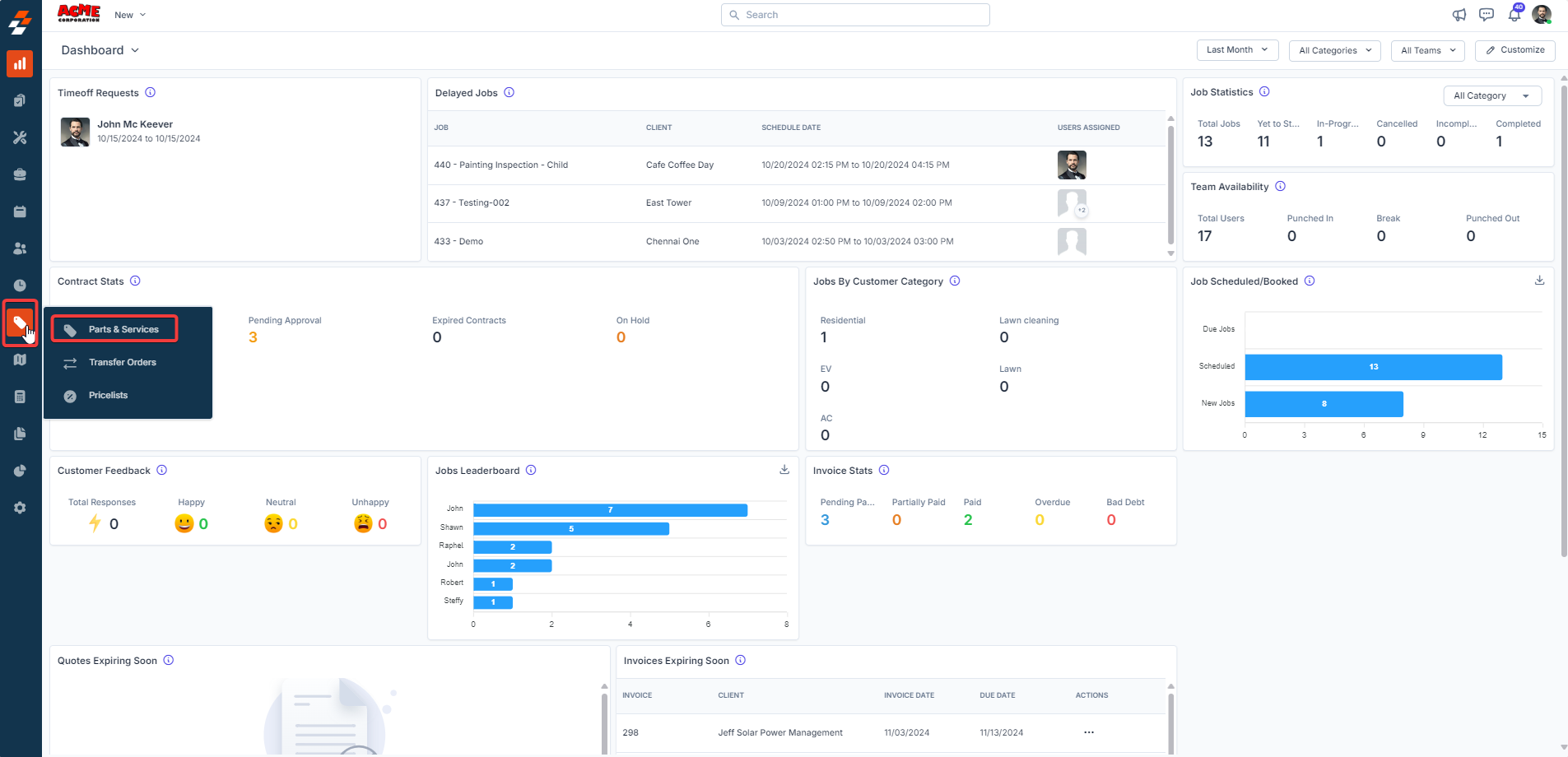
Click Parts & Services
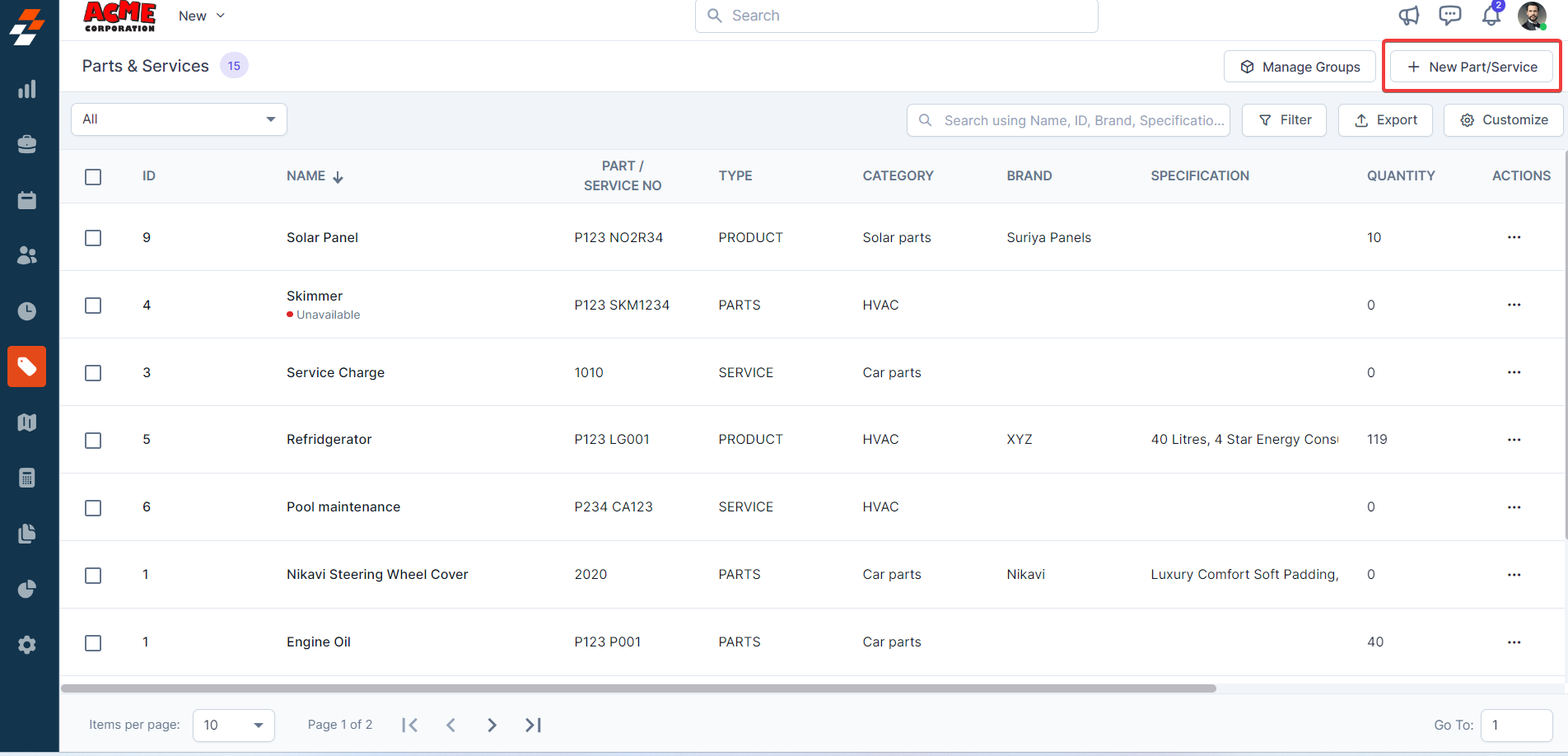
Select + New Part/Service
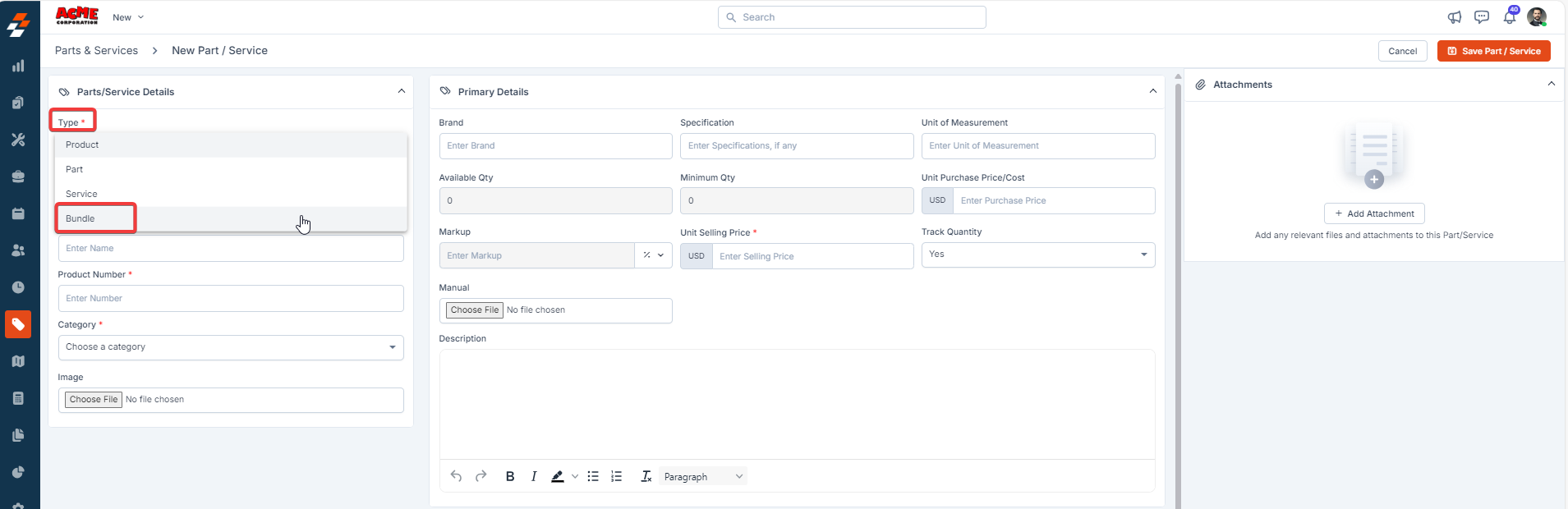
Choose Bundle as the type
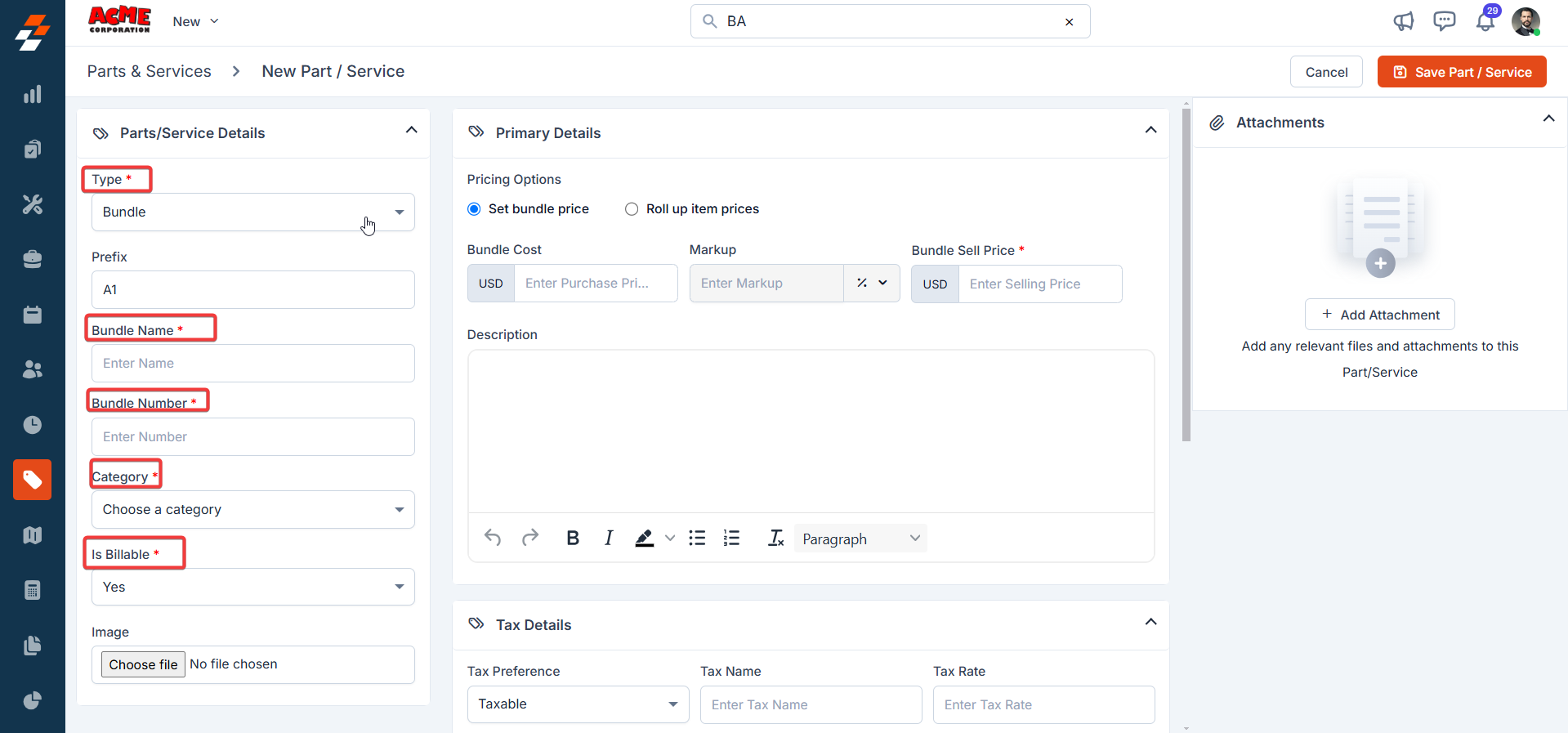
Step 1: Basic Details
Fill in:
-
Bundle Name (clear and descriptive)
-
Bundle Number (unique ID)
-
Category (Install, Service, Maintenance)
-
Billable or Non-Billable
💡 Best Practice:
Name bundles based on how your team actually sells work:
“22kW Install Package” or “Annual Generator Service”
Step 2: Choose Pricing Method
You have two options:
Set Bundle Price (Fixed Price)
-
One total price for the entire bundle
-
Best for packaged offers
Example:
Install package = $12,500 (regardless of individual components)
Roll-Up Pricing (Itemized)
-
Price is calculated by adding each item together
-
Best when you want transparency
Example:
Generator + labor + materials all priced individually and added together.
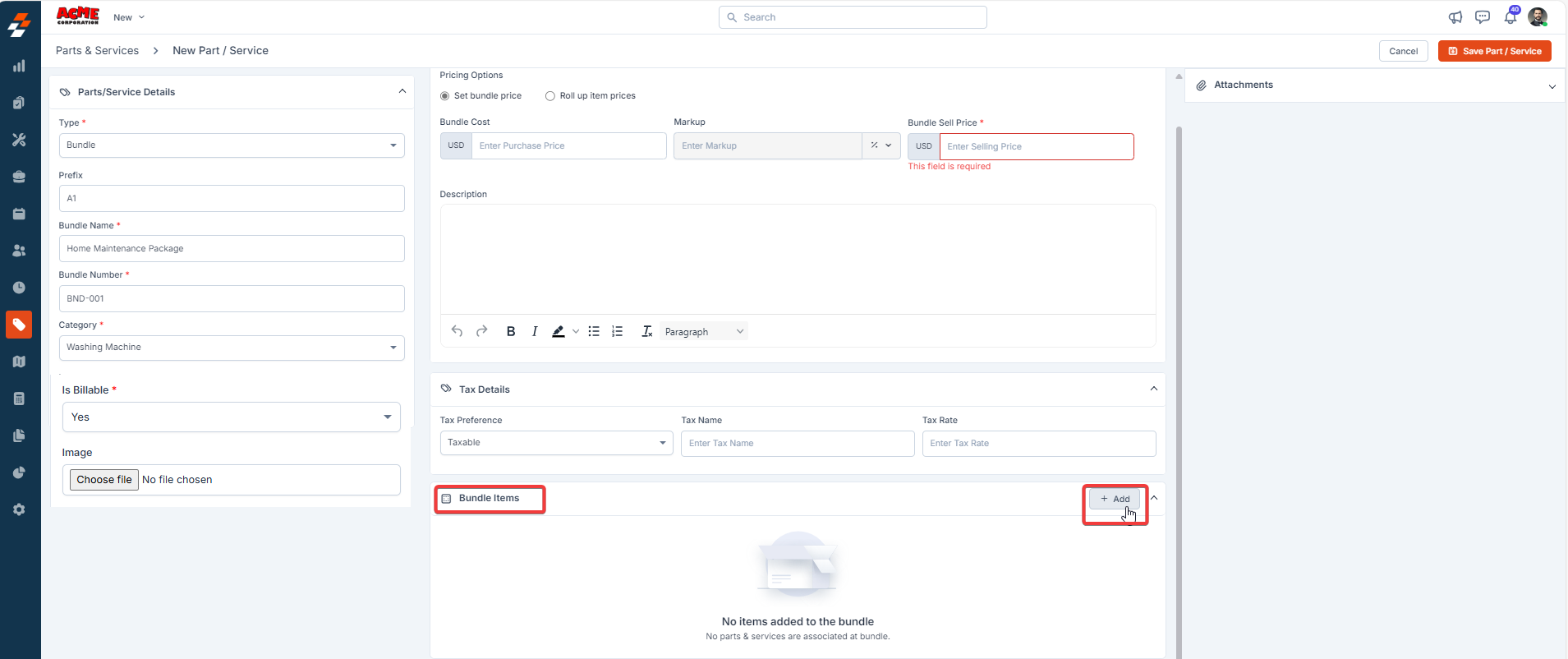
Step 3: Add Bundle Items
-
Click Add
-
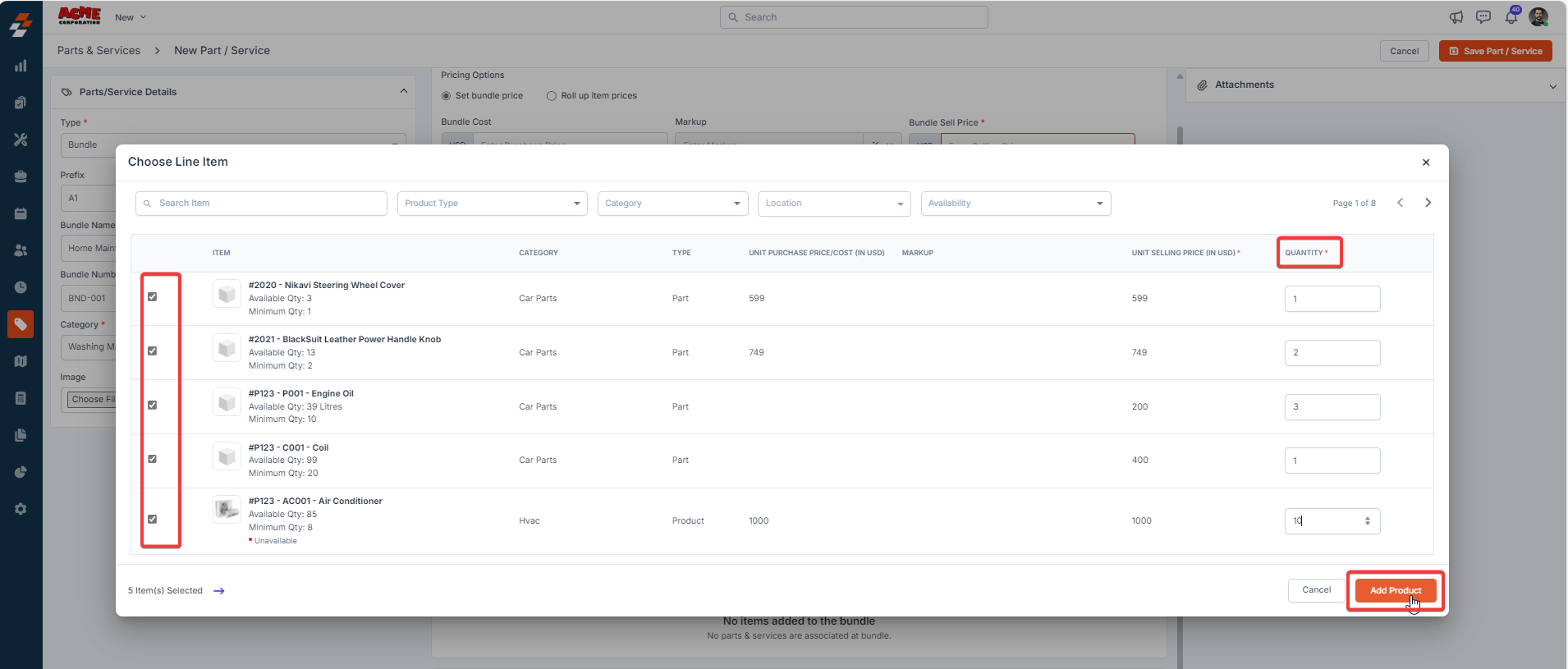
Select parts, products, or services
-
Set quantities
-
Save items into the bundle
💡 Example Bundle:
-
1x Generator
-
1x Transfer Switch
-
1x Install Labor
-
1x Permit Fee
- 25x Feet of Gas & Electrical run
Step 4: Set Pricing Details
Depending on your pricing method:
For Fixed Price Bundles:
-
Set total cost
-
Apply markup (optional)
-
Define final selling price
For Roll-Up Bundles:
-
Pricing is automatically calculated
-
No markup needed at bundle level
Step 5: Taxes
-
Apply tax to the bundle (fixed price), OR
-
Let tax apply to each item (roll-up)
Step 6: Save the Bundle
Click Save Part/Service
Your bundle is now ready to use across your system.
Using Bundles in Jobs, Quotes, and Invoices
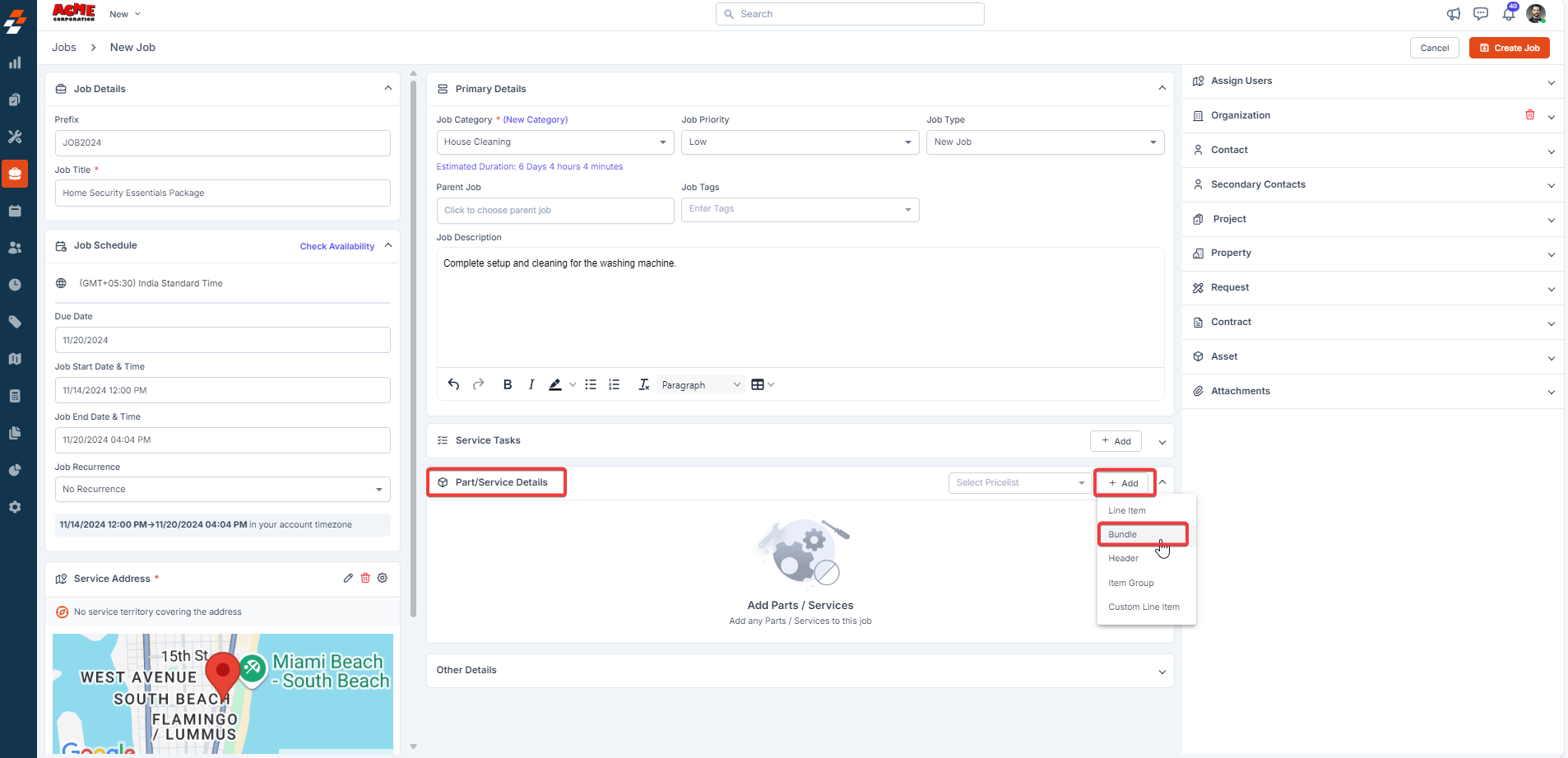
When creating a job, quote, or invoice:
-
Go to Parts & Services
-
Click Add
-
Select Bundle
-
Choose your bundle
-
Adjust quantity if needed
-
Click Add Bundle
What You’ll See
Depending on your settings, bundles will appear as:
-
One line item (clean and simple)
-
Detailed breakdown (full transparency)
Editing Bundles in Transactions
You can adjust bundles inside a job or quote:
-
Update pricing
-
Modify descriptions
-
Adjust quantities
⚠️ These changes only apply to that specific job—not the master bundle.
Using Bundles in Service Packages
Bundles can also be added to:
-
Maintenance plans
-
Service agreements
-
Contract packages
This allows you to standardize recurring work and pricing.
Pro Tips
-
Build bundles for your top 3–5 most common jobs first
-
Use fixed pricing for installs and packaged offers
-
Use roll-up pricing when costs vary job-to-job
-
Keep bundles simple—don’t overcomplicate them
-
Review bundles quarterly to protect margins
Summary
Bundles are how you turn repeatable work into a scalable system.
Instead of rebuilding jobs every time, you create once—and reuse forever.
What’s Next?
👉 Start by creating bundles for:
-
Generator installs
-
Annual maintenance plans
-
Common service calls
These will have the biggest impact on your efficiency right away.